Planner › Blogs › Choosing Wi-Fi Access Points
How to Choose the Right Wi-Fi Access Point Brand & Model for Your Floor Plan
Published by Signal Plan Engineering Team · 8 min read
Designing a reliable wireless network starts long before you ever pick up a drill or pull an Ethernet cable. Whether you are mapping a multi-floor hotel, a high-density call center, or a residential smart home, choosing the wrong access point (AP) model leads to dead zones, roaming drops, and expensive rework. Simply buying the most expensive hardware does not guarantee good coverage if the access points are not designed for your specific structural layout and client density requirements.
In this engineering guide, we break down the core considerations for selecting wireless hardware, compare popular vendor ecosystems, and demonstrate how to test your layout using a free browser-based Wi-Fi planner before purchasing any equipment.
1. Coverage vs. Capacity: What's the Priority?
The most common mistake in wireless design is treating all access points the same. When evaluating models, network engineers must balance two competing metrics depending on the environment:
- Coverage (Signal Propagation): This is determined by the transmit power (EIRP) and the specific antenna gain of the hardware. Coverage is essential for pushing signals through physical obstructions like drywall, glass partitions, and thick concrete walls.
- Capacity (Client Density): This is determined by the internal processor speed, RAM, and spatial streams (e.g., 2x2 vs. 4x4 MU-MIMO arrays). High capacity is essential for high-density spaces like conference rooms, schools, and enterprise open-plan offices where hundreds of concurrent smartphones and laptops are competing for airtime.
2. Understanding Target RSSI and Wall Attenuation
Before selecting your hardware brand, you must define your performance target based on how the space will actually be used. The Received Signal Strength Indicator (RSSI) is the core metric you must plan around:
- -60 to -65 dBm: This is the ideal threshold for high-performance environments running voice-over-Wi-Fi (VoWiFi), seamless roaming, and uninterrupted 4K video streaming.
- -67 dBm: This is the standard enterprise data target required for reliable corporate laptop connectivity across an office floor.
- -70 dBm: This represents basic coverage, suitable only for low-bandwidth IoT devices, smart home appliances, and light web browsing.
Keep in mind that physical building materials drastically reduce these numbers. A glass partition typically costs 2 dB of signal loss, standard drywall costs 3 dB, brick costs around 6 dB, and dense concrete or elevator lift cores can block a massive 10 to 18 dB of RF energy, creating immediate dead spots.
3. Hardware Comparison: Budget Prosumer vs. Enterprise Brands
Signal Plan natively supports 21 major networking brands. Choosing between them often comes down to your budget, your need for cloud-managed licensing, and the specific RF environment. Here is how the top tiers compare for cost, availability, and capability:
| Brand / Tier | Popular Models | Best Suited For | Approx. Cost |
|---|---|---|---|
| Ubiquiti UniFi (Prosumer / SMB) | U6-Pro, U7-Pro | IT integrators, high-end homes, medium offices | $150 – $280 |
| TP-Link Omada (Value SMB) | EAP650, EAP670 | Budget-conscious deployments, retail spaces | $90 – $170 |
| Cisco Meraki (Cloud Enterprise) | MR36, MR44, CW9166I | Corporate offices, multi-branch enterprise | $600 – $1,200+ |
| Aruba Networking (Enterprise) | AP-515, AP-635 | Hotels, campuses, high-density environments | $500 – $1,000 |
Test Your Floor Plan in Minutes
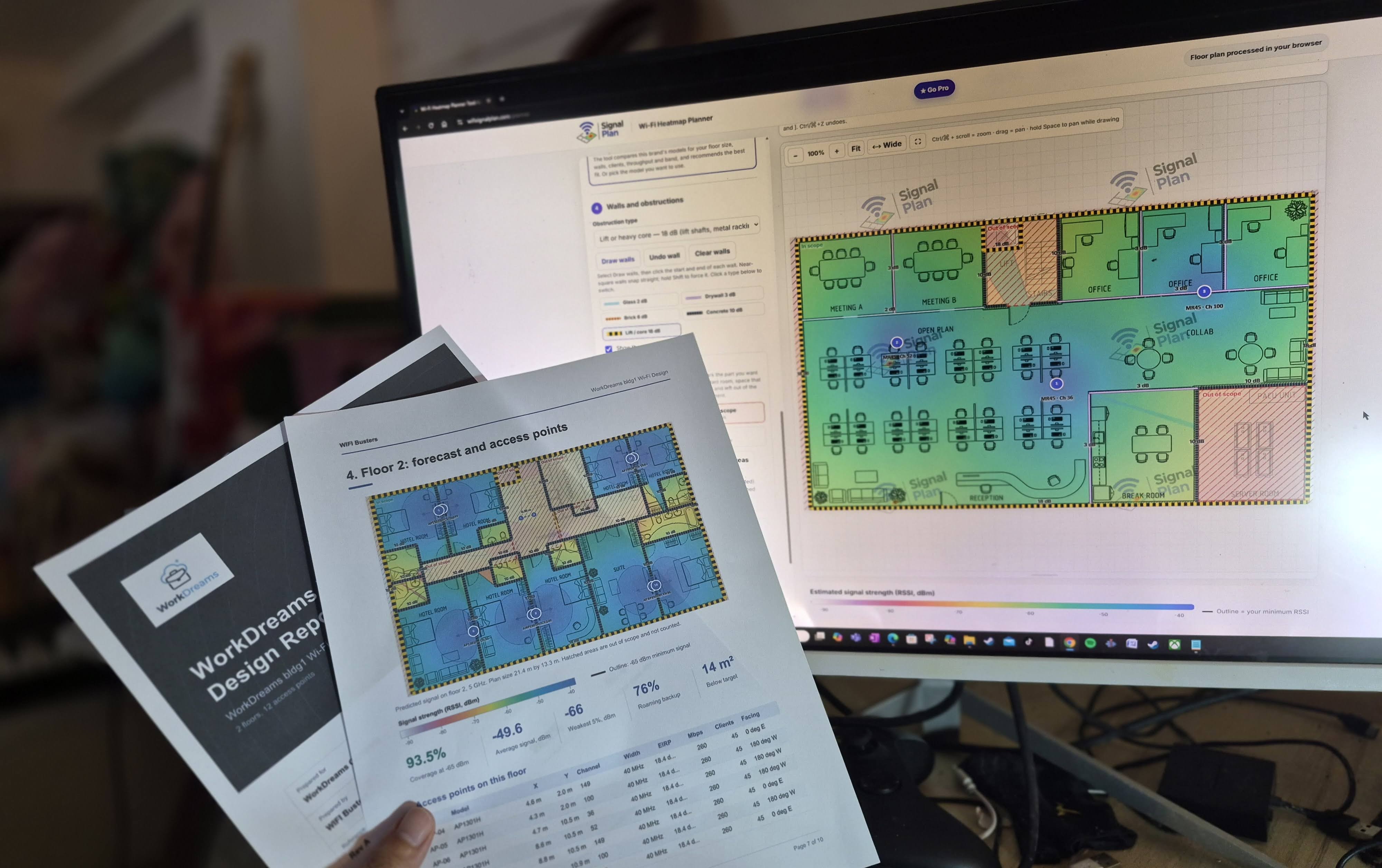
Instead of guessing your hardware counts or purchasing expensive desktop survey suites, you can test your exact building layout and access point models directly in your browser.
Head over to the Signal Plan Free Wi-Fi Planner to upload your floor plan, draw your structural walls, select your preferred access point models, and instantly generate an accurate, visual signal strength heatmap.
Related articles:
Planning 6 GHz and Wi-Fi 7: range, walls and AP count
How many access points do you need?
Signal Plan Brand coverage: Access Point brands and models