
Planner › Blogs › Hotel Wi-Fi Planning
How to Plan High-Performance Wi-Fi for Multi-Floor Hotels and Hospitality Venues
Published by Signal Plan Engineering Team · 9 min read
Providing reliable Wi-Fi across a multi-floor hotel, resort, or extended-stay property is one of the toughest challenges in network engineering. Modern hospitality guests expect flawless, high-speed roaming whether they are streaming video in the lobby, attending a virtual meeting in the basement conference center, or using multiple devices in the furthest corner room on the top floor.
Unfortunately, hospitality environments are packed with heavy RF (Radio Frequency) attenuation factors. Thick concrete slabs between floors, dense elevator lift cores, and repeating drywall partitions will completely destroy weak wireless signals if not accounted for during the initial design phase.
In this guide, we examine the core engineering rules for hospitality wireless design and explain how to model multi-wall attenuation using a free browser-based Wi-Fi planning tool.
1. The Real Cost of Hotel Building Materials
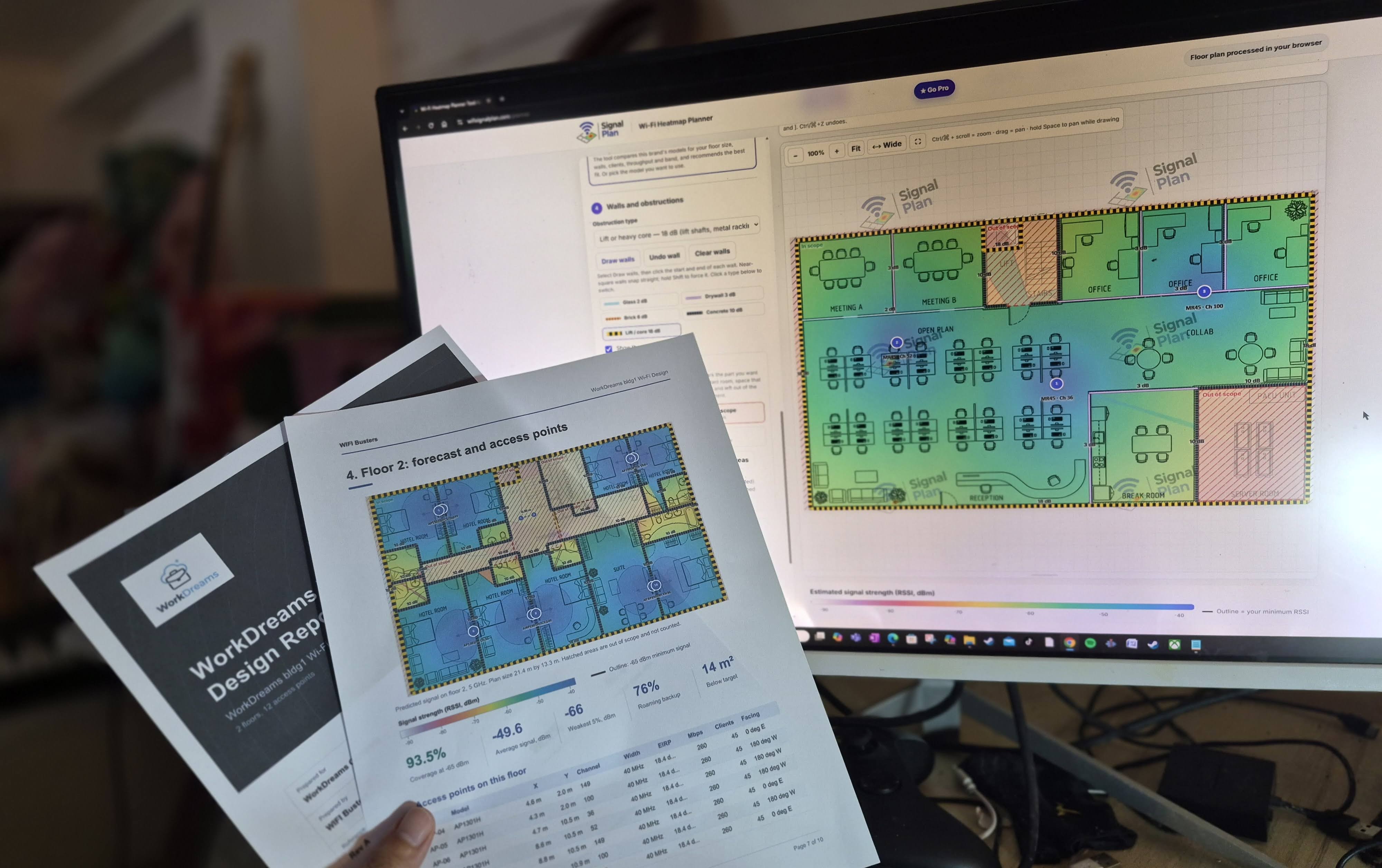
Unlike open-plan corporate offices, hotels feature heavily compartmentalized layouts where guests are separated by physical walls in every direction. When planning your access point layout, you must account for how signals travel laterally down long corridors and vertically through thick floors:
- Guest Room Drywall Partitions (3 dB loss): While a single drywall sheet causes minimal attenuation, a signal trying to pass laterally through three or four interior hotel walls to reach a guest's laptop suffers a cumulative drop of 9 to 12 dB, severely degrading throughput and creating unstable connections.
- Corridor Doors: Standard hotel doors allow signals to leak out of rooms and into hallways. However, closed solid-core or thick fire-rated doors introduce significant attenuation, requiring careful hallway AP staggering to ensure signal penetrates into the rooms evenly.
- Concrete Slabs & Lift Cores (10 to 18 dB loss): Inter-floor concrete and central elevator shafts block the vast majority of wireless energy. Relying on an access point mounted on the ceiling of the floor below to punch upward through concrete into upper guest rooms will result in total connectivity failure.
2. Strategic Access Point Placement for Guest Satisfaction
To maintain high guest satisfaction scores and prevent complaints regarding slow internet speeds, network engineers and low-voltage contractors typically follow these deployment rules for hospitality venues:
- Staggered Hallway Deployment: Rather than placing APs directly inside every individual guest room (which drastically drives up hardware, cabling, and switch port costs), engineers often place enterprise-grade APs down the center corridor. These should be staggered in a zig-zag pattern so that guest rooms receive diagonal coverage from multiple adjacent sources.
- Targeting the Right RSSI: For a modern hotel deployment, aim for a minimum target RSSI of -65 dBm throughout all guest rooms, including the bathrooms where signals often drop. This threshold ensures stable 4K video streaming and reliable voice-over-Wi-Fi (VoWiFi) calling.
- Managing Channel Interference: In high-density hotel deployments, access points placed too closely together will cause Co-Channel Interference (CCI). Avoid channel overlap on the 2.4 GHz band by sticking strictly to non-overlapping channels (1, 6, and 11), while leveraging wider 5 GHz and 6 GHz channels where heavy wall attenuation naturally isolates adjacent rooms.
3. Choosing Enterprise Hardware for High-Density Hospitality
Hotels experience massive concurrent client spikes during evening hours when guests return to their rooms and connect multiple devices simultaneously (smartphones, tablets, work laptops, and smart TVs). Budget home routers will crash under this processing load. You must select enterprise models capable of handling high client counts and aggressive roaming protocols.
| Vendor Ecosystem | Recommended Model | Key Hospitality Advantage |
|---|---|---|
| HPE Aruba Networking | Aruba AP-515 / AP-635 | Advanced client roaming protocols (802.11k/r/v) and robust wall penetration for long corridors. |
| Cisco Meraki | MR44 / CW9166I | Cloud-managed multi-site dashboards ideal for seamless hotel chain management and remote troubleshooting. |
| Ubiquiti UniFi | U6-Pro / U7-Pro | Cost-effective enterprise throughput for independent hotels without mandatory recurring licensing fees. |
Test Your Hotel Layout Before Pulling Cable
Running thousands of feet of Ethernet cabling and mounting access points across a multi-story hotel before verifying the expected coverage is a dangerously expensive mistake. You can simulate your exact architectural layout and spot dead zones in seconds using a predictive planning tool.
Head over to the Signal Plan Wi-Fi Planner, upload your floor plan, draw your concrete lift cores and drywall partitions, and instantly generate a visual signal forecast before purchasing your hardware.
Related articles:
Hotel Wi-Fi planning: reaching every guest room
Hotel wall-plate (H series) access points: how they radiate and how to plan them